How to use Notion for student supervision
If you’ve ever supervised more than one student at a time before, you will know how challenging it can be to keep up with progress from each student and where they are in their academic journeys. In one of my YouTube videos, I walk you through how I project manage students in Notion by loading each student as an individual project.
Supervision dashboard
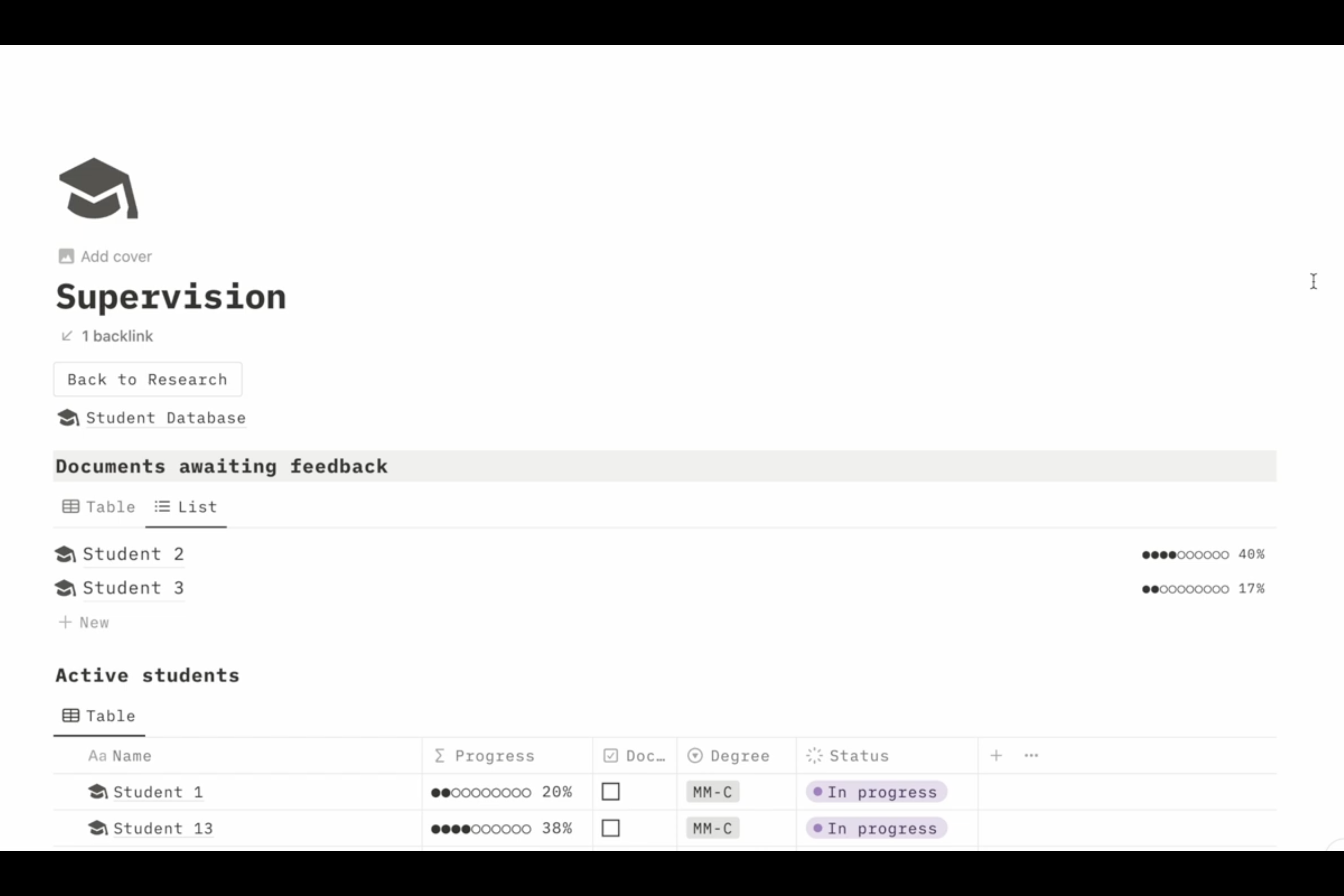
In the video, I show you my student dashboard. In this dashboard, I can easily get a view of students who I am actively supervising, students who are awaiting feedback on documents which have been submitted to me, as well as students who have graduated. This allows me to get a close overview of who I should regularly be following up with, to make sure I don’t miss them in the many other responsibilities which I have in my work.
The supervision template
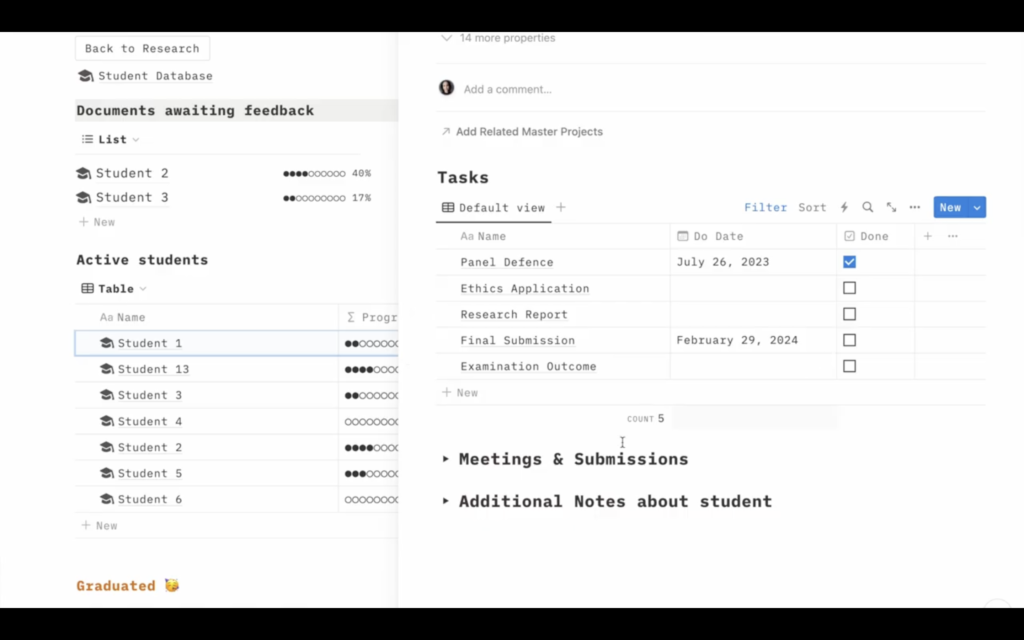
Each time I load a new student, I load them into my supervision template. This template allows me to keep track of key milestones in their journey, such as a panel defence, their ethics application, or the submission of their report for examination. The template also has space for me to keep detailed notes about meetings I have had with the student and any notes I want to remember based on the submissions of the work they have made to me. It essentially is a record keeping system which I can refer back to, even after the student has graduated.
If you have a heavy supervision load and you find yourself unable to manage keeping track of where each one is in their supervision journeys, consider building out a supervision database on whichever project management platform you use!
Happy supervising!!
Check out the video here!


You May Also Like

How to read when time is limited

How to increase your productivity as a researcher